
December 17, 2024

SystemEDGE empowers network operations teams to meet operational challenges head-on by offering extra data collection and actionable insights.
|
Key Takeaways
|
|
In the increasingly complex network infrastructure stack, achieving complete visibility across every layer is no longer optional—it’s necessary. Network operations teams seek solutions that offer seamless observability across diverse infrastructures while minimizing operational costs. Enter SystemEDGE, a robust monitoring tool designed to amplify observability within the DX NetOps ecosystem. SystemEDGE empowers network operations teams to meet operational challenges head-on by offering extra data collection and actionable insights.
What is SystemEDGE
SystemEDGE is an advanced agent-based monitoring solution that integrates seamlessly with DX NetOps to provide precise data collection and reporting for a wide range of network elements, such as routers, switches, servers, and storage devices. The latest iteration of SystemEDGE continues to support essential features that customers have relied on while adding enhancements that allow for more robust monitoring and management capabilities.
Key benefits of SystemEDGE for DX NetOps customers
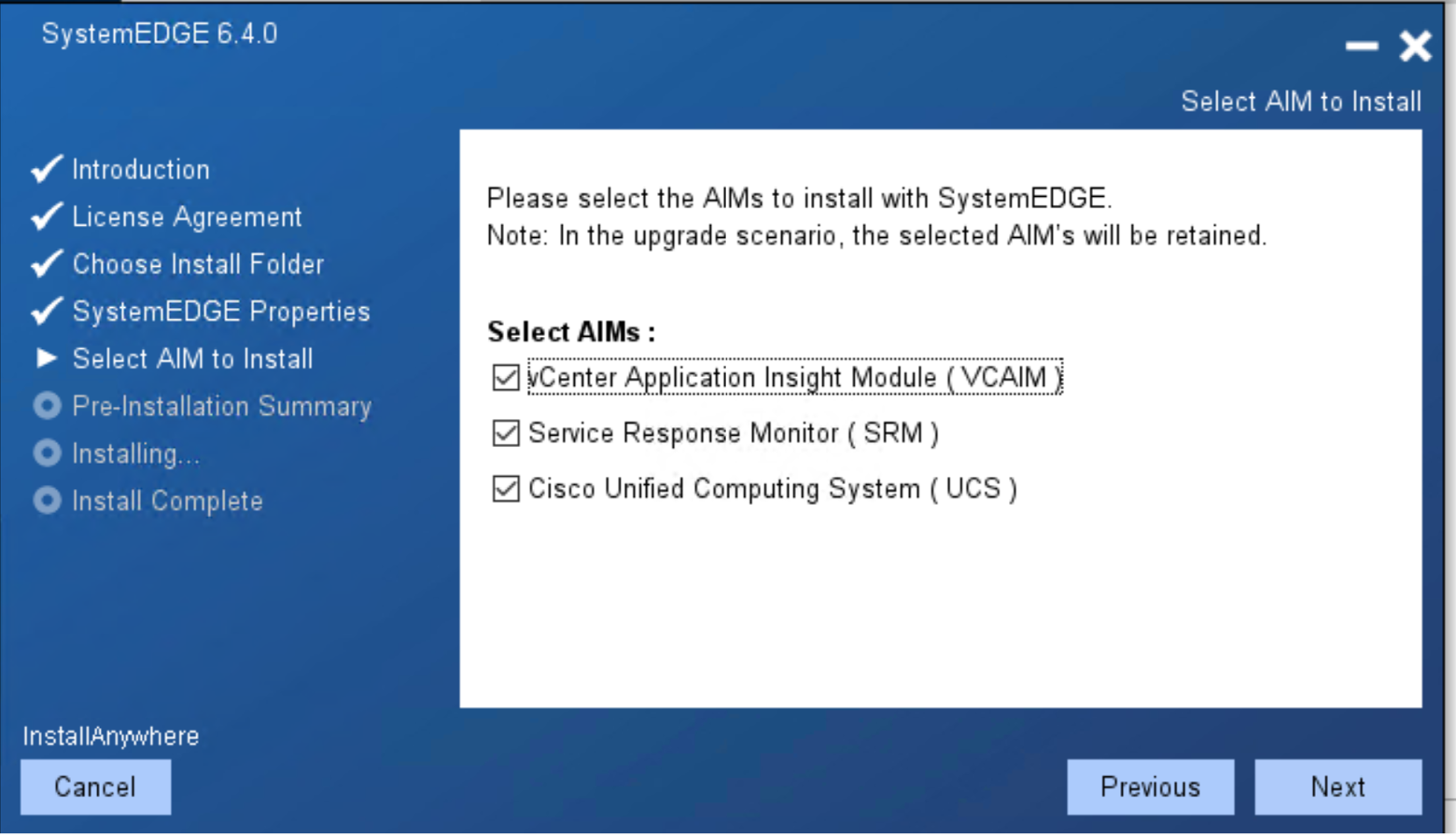
- Enhanced Network Observability: SystemEDGE hosts monitoring capabilities for essential components through Cisco UCS AIM, vCenter AIM, and Service Response Monitoring AIM, enabling deeper visibility into virtual and physical environments. This comprehensive visibility, which reduces the need for additional monitoring tools, assures you of the tool's effectiveness in managing various infrastructures efficiently.
- Seamless Integration with DX NetOps: SystemEDGE is designed to integrate easily within the DX NetOps ecosystem, centralizing monitoring and reporting. By eliminating the need to juggle multiple tools, network teams can focus on identifying and resolving issues swiftly, improving overall operational efficiency.
- Scalability for Evolving Environments: Modern networks must scale as businesses grow. SystemEDGE supports networks of all sizes, from small, single-site setups to sprawling, multi-site enterprises. SystemEDGE scales alongside your needs, ensuring consistent performance monitoring without additional overhead as your infrastructure expands.
Why choose SystemEDGE for your network operations
SystemEDGE is more than yet another monitoring capability; it’s a strategic enabler for DX NetOps customers, offering:
- Comprehensive Visibility with 360-degree observability across physical and virtual infrastructure layers.
- Operational Simplicity by centralizing monitoring through a single pane of glass within DX NetOps, making it easy to use and relieving you of the burden of juggling multiple tools.
- Future-Ready Scalability by letting expand your infrastructure confidently with a monitoring solution that grows with you.
Conclusion
In a world where operational success depends on seamless network observability, SystemEDGE is a powerful ally for DX NetOps users. Its integration capabilities, advanced monitoring features, and scalability make it an indispensable tool for managing today’s intricate IT infrastructures. If your organization seeks to enhance its network management capabilities and streamline operations, the latest version of SystemEDGE offers the features and functionality to help you achieve these goals.
To learn more about the latest version of SystemEDGE - 6.4, visit this page.
Learn more about how you can schedule your next complimentary upgrade weekend. With the Designated Weekend Upgrade Program, you can elevate your DX NetOps experience and drive innovation within your organization like never before.
Abhinav Shroff
Abhinav Shroff is a Product Manager for the AIOps platform from Broadcom. He has a deep understanding and expertise in cloud technologies along with more than fourteen years of experience in building and marketing software products and services. He likes to describe himself as a product enthusiast, technologist,...
Other resources you might be interested in
Automic Automation: Transition to SAP RISE with Confidence
Automic Automation safeguards Clean Core architecture, mitigates SAP RISE migration risks, and unifies enterprise scheduling from mainframe to cloud.
AutoSys Workload Automation: Transition to SAP RISE with Confidence
AutoSys safeguards Clean Core architecture, mitigates SAP RISE migration risks, and unifies enterprise workload scheduling from mainframe to cloud systems.

AppNeta: Manage Alarm Rules
Learn how to create and manage alarm rules in AppNeta. Detect, isolate, and present user-impacting issues to network operations center teams.
Rally Office Hours: October 8, 2026
Find out about a new “my notifications” widget and an enhanced planned/unplanned widget. Hear about diverging axis views and upcoming cycle time widgets.

Going Off-Road: How We Bulletproofed Automic's Zero Downtime Upgrades
To ensure absolute reliability at SaaS scale, Automic Automation recently evolved its ZDU strategy.
Rally Office Hours: October 1, 2026
Explore Rally updates, including end-to-end markdown support, a new defect trend widget, an update dependency widget, and custom view migration status.
Clarity: Design Visual Layouts Using Report Designer
This course teaches you how to create new reports with the Clarity Report Designer.
Rally Office Hours: September 24, 2026
Find out about a new milestone cumulative flow diagram widget and custom view widget capacity. Get tips for handling project name changes in middleware.
Rally Office Hours: September 17, 2026
Explore Rally's new delivery confidence feature for portfolio items, hear custom view migration updates, and get expert answers to Q&A.