
|
Key Takeaways
|
|
I love cooking. I find it to be a very creative outlet. I enjoy being able to combine various ingredients, which each add a specific flavor, color, and even texture. When these ingredients come together in a complementary way, it can result in a tasty, satisfying dining experience.
If you think about it, network operations troubleshooting is not much different. Isolated data sets from various siloed tool sets are like the separate ingredients in a recipe. Before you start blending and cooking with these ingredients, you only have very limited visibility into overall network health. Further, if you’re missing ingredients, your meal will not turn out like you planned and the eating experience will suffer.
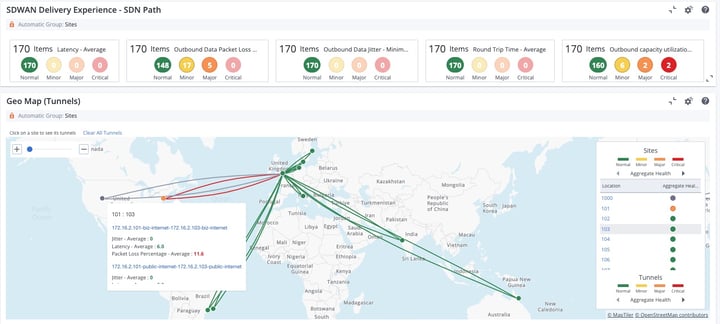
When network performance issues arise that have a negative impact on critical customer services, teams need to be able to isolate the cause—and do so quickly and accurately. In today’s modern networks, here are the ingredients network operations teams need to achieve these objectives:
- A highly scalable, unified data model that combines all the network data needed to uncover effective solutions to network operations problems.
- Advanced analytics that enable teams to go beyond proactive triage and establish predictive, automated operations.
- Intelligent triage workflows that enable teams to go from viewing alarms to diagnosing the root cause of network issues—with a single mouse click.
- Traffic analysis and anomaly detection that can help teams understand current patterns of network behavior and avoid potential future outages.
- Network configuration management capabilities that help teams comply with policies and regulatory mandates, and avoid the misconfigurations that can cause widespread outages.
To learn more, download our rapid and accurate isolation white paper today.

Jeremy Rossbach
As the Chief Technical Evangelist for NetOps by Broadcom, Jeremy is passionate about meeting with customers to identify their IT operational challenges and produce solutions that fit their business and network transformation goals. Prior to joining Broadcom, he spent over 15+ years working in IT, across both public...
Other resources you might be interested in

AAI v26.0 - Linux Standalone Upgrade
Learn how to upgrade a standalone AAI installation on Linux from version 24.4.x to 26.0. Find out about updated configuration and log structures.
Automic Automation v26 Standard Administration – Agents
This course covers two agent administration topics in Automic Automation version 26 (Standard): Centralized Agent Upgrade (CAU) and Agent authentication.
Automic Automation V26 Standard Administration - General Topics
This course provides Automic Automation v26 administrators with a direct, technical breakdown of core system configuration and maintenance tasks.
Automic Automation V26 Standard Administration - Advanced Processes
This course covers the Automation Engine (AE) server processes in Automic Automation version 26 (Standard).
Automic Automation V26 Standard Administration - Functional Security
This course covers the administration of functional security in Automic Automation version 26.
Rally Office Hours: October 22, 2026
Find out about the GA of multi-column sorting. Learn more about tracking physical resources, cycle time widgets, and work rules for sprint additions.
Automic Automation: Transition to SAP RISE with Confidence
Automic Automation safeguards Clean Core architecture, mitigates SAP RISE migration risks, and unifies enterprise scheduling from mainframe to cloud.
AutoSys Workload Automation: Transition to SAP RISE with Confidence
AutoSys safeguards Clean Core architecture, mitigates SAP RISE migration risks, and unifies enterprise workload scheduling from mainframe to cloud systems.
AppNeta: Manage Alarm Rules
Learn how to create and manage alarm rules in AppNeta. Detect, isolate, and present user-impacting issues to network operations center teams.