
Broadcom is showcasing Experience-Driven NetOps at the ONUG Fall 2022 Live and Virtual Event, October 19-20. Join us as we debut AppNeta’s advanced end-user experience monitoring capabilities for modern networks. With the combination of DX NetOps and AppNeta, teams can gain industry-leading, end-to-end visibility. This enables operations to have a complete understanding of network delivery from the end-user perspective, including for any user, on any device, on any network, anywhere in the world.
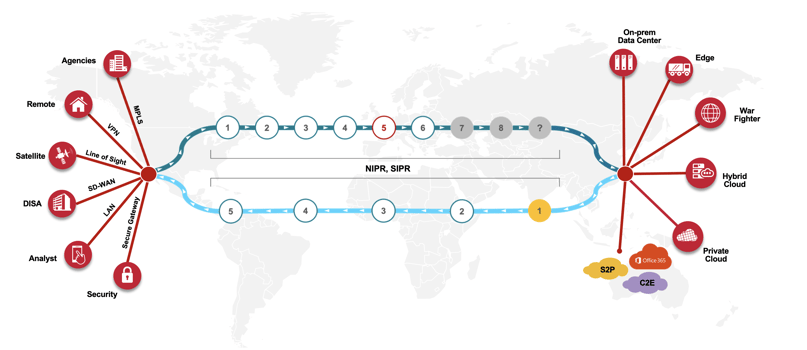
Top three reasons to attend and participate in the Broadcom Software sessions at ONUG Fall 2022:
1. Learn
Learn why industry analysts call the combination of DX NetOps and AppNeta “an industry-leading set of solutions for end-to-end network performance management and digital experience management.”
2. Must-See Innovation
Gain insights into the solution features and capabilities that are solving the most challenging use cases today:
- Day 1, October 19 at 11:30 am (Virtual Booth Only): Open Session: The Guide to Assuring Modern End-User Experience over SD-WAN
- Day 1, October 19 at 12:30 pm (Live and Virtual Booth): Proof of Concept: Welcome to the Experience Driven NOC
- Day 2, October 20 at 11:30 am (Virtual Booth Only): Broadcom Software Academy: How to Triage Microsoft Teams Performance Issues from Anywhere in the World
- Day 2, October 20 at 1:00 pm (Live and Virtual Booth): Broadcom Software Main Stage Keynote—Panel Discussion: Operationalizing Experience for the New Enterprise Network
3. Small Bytes by Broadcom Software: “How To” Training Sessions (Badges Awarded Upon Completion)
- Day 1, October 19 at 10:45 am: How do I efficiently isolate end-to-end path issues for work from home users?
- Day 1, October 19 at 2:30 pm: How do I troubleshoot apps like Office 365 when issues can be inside the ISP?
- Day 2, October 20 at 11:00 am: How do I baseline SD-WAN, ISP and cloud network performance to easily identify application policy violations?
- Day 2, October 20 at 12:30 pm: How do I use the three most important metrics to gain visibility into WAN, SDWAN, ISP, and cloud performance?
And we can’t forget to mention the daily raffles and giveaways!
You and your entire team can use this link to obtain a complimentary pass for the live event. Please use the code F22BroadcomGuest when registering. If you prefer to attend the virtual event, please use this link to register.
We hope you will join us for what promises to be an engaging, informative event.

Jeremy Rossbach
As the Chief Technical Evangelist for NetOps by Broadcom, Jeremy is passionate about meeting with customers to identify their IT operational challenges and produce solutions that fit their business and network transformation goals. Prior to joining Broadcom, he spent over 15+ years working in IT, across both public...
Other resources you might be interested in

AAI - Creating and Publishing AI-powered Data Insights
Learn how to create AI-powered data insights using natural language prompts, refine the generated results, and publish useful insights.
AAI - Configuring the Cost Model for Chargeback Reporting
Learn how to configure the Cost Model in AAI by defining cost centers, associating jobs with those cost centers, and entering annual cost factors.
Clarity: Strategic Workforce Planning with the Staffing Workspace
This course blends strategic portfolio management (SPM) concepts with Clarity Staffing. See how to use the product and make better business decisions.
Rally Office Hours: August 20, 2026
This Rally Office Hours session reveals the general availability of a Kanban board extension to the custom board widget. Get expert tips for custom views.
ValueOps ConnectALL 101
This is an introductory course for new ConnectALL administrators and implementation teams.
AAI: Monitoring Global Shift Operations with Jobstream Runs Views
Focuses on live operational triage, teaching operators to track real-time executions, identify "Red-Zone" failures, and drill down to resolve bottlenecks.
AAI: Triaging Incidents via the Gantt View
See how to use the Gantt Command Center to isolate failures and restore pipelines. Trace dependency paths, evaluate delays, and inspect job properties.
AAI: Tracking Trends & Runtimes with Jobstream Run Details
Learn how to analyze multi-week historical performance using Actual, Relative to SLA, and SLA Graph views. See how to spot and prove performance issues.
Rally Office Hours: August 13, 2026
This Rally Office Hours session covers upcoming product deprecations, custom view migrations, high-level reporting solutions, and workspace field updates.