
DX NetOps 21.2 network monitoring software continues to innovate and improve the scale, speed, and simplicity of network operations with a focused set of high-value features and capabilities. The latest release of Broadcom’s DX NetOps 21.2 network monitoring software delivers expanded capabilities to monitor and assure your software-defined networking (SDN), and network functions virtualization (NFV) deployments.
DX NetOps can collect and generate events and alarms from any SDN/SD-WAN solution on various network elements in case of failure and changes. Although DX NetOps can display all network events and alarms in a single NetOps portal for network operations center (NOC) teams rather than switching between multiple administrative consoles to monitor both traditional and modern networks, few SDN solutions generate less than 100,000-200,000 alarms/events daily. Due to this, NOC teams have to spend 3-4 hours daily to clear/acknowledge alarms that are not relevant to their business or operations.
A real-world example is one of our European customers migrating all their worldwide data centers to a Software-Defined Data Center (SDDC) architecture. They chose Cisco ACI for this effort. When they first deployed Cisco ACI in one of their data centers, the NOC was flooded with 200,000 tickets into their existing DX NetOps network monitoring software.
After the in-depth analysis, they discovered that out of 200,000 tickets generated by their deployment, only a few of them actually needed their attention. This situation quickly elevated their efforts to rely on network monitoring software, which could reduce this alarm noise while being scalable, reliable, and seamlessly integrated into other third-party solutions.
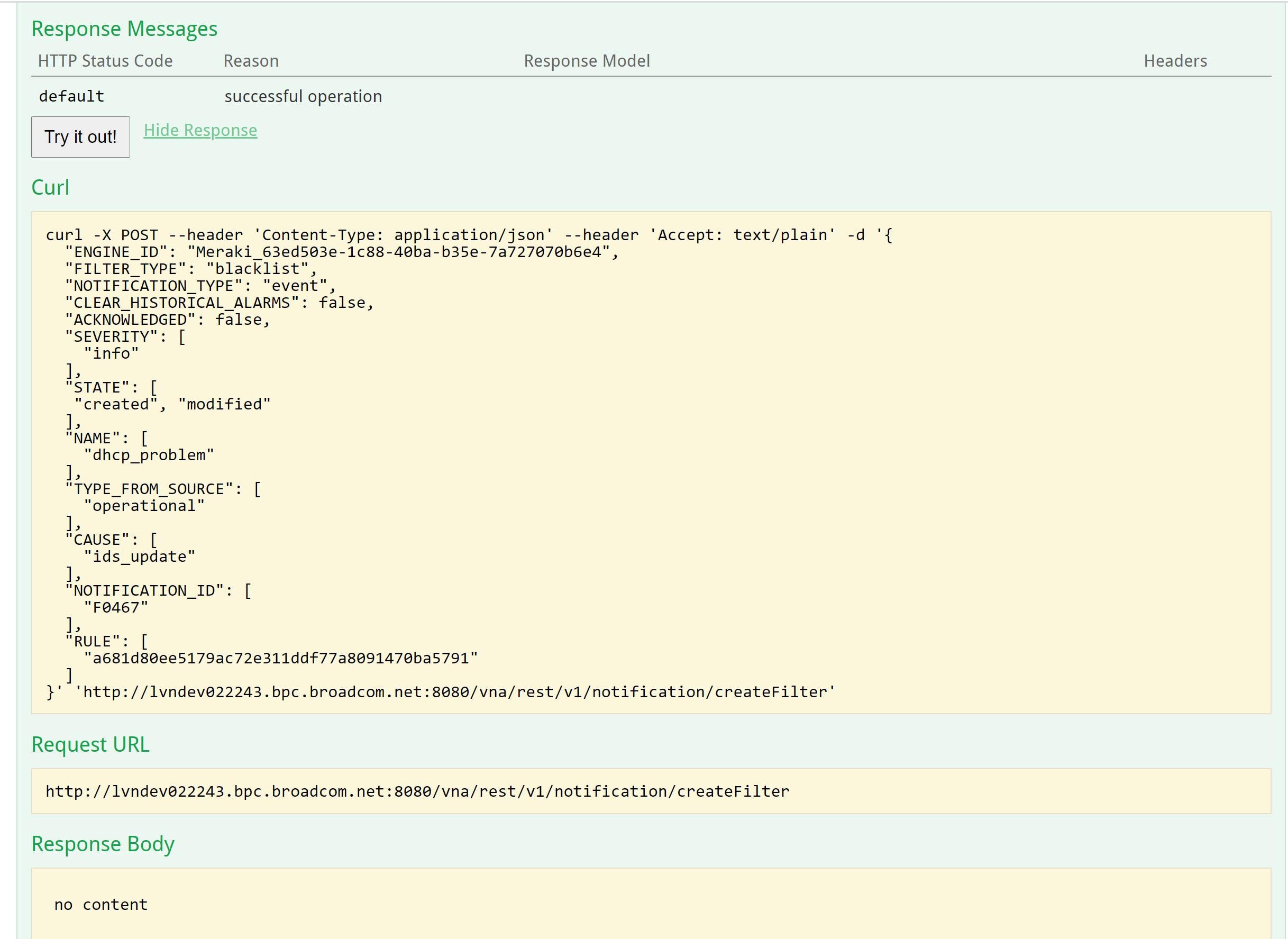
Figure 1: DX NetOps configuration interface where teams can blacklist or whitelist events or alarms based on severity, notification id, fault code, type or other factors in order to reduce alarm noise and improve triage times.
DX NetOps network monitoring software introduces a new filter mechanism with a global configuration to filter network alarms and events for all SDN/SD-WAN solutions, and it can be configured from the DX NetOps user interface. This new feature will allow customers to define the filters based on the Event ID, Event Types, Fault Code, Severity, and other feasible options based on the vendor technology.
Customers can then decide whether they want to blacklist or whitelist certain types of events and alarms or create actionable events or alarms. Here are some advantages to having this new capability:
- Filtered alarms will get removed automatically from DX NetOps with no additional steps needed.
- Single configuration for all the DX NetOps plugins with easily defined global filters for the common conditions/parameters.
- Restart of services like engine/wildfly not required for any change in filter configuration such as Create/Update/Delete operations.
- Support whitelisting and blacklisting of Events and Alarms.
- Define distinct filters for each site/technology or single filter for all running engines.
Sample input JSON format to create filter configuration in DX NetOps Swagger UI:
{
"ENGINE_ID": "engineBroadcom1",
"FILTER_TYPE": "Blacklist",
"NOTIFICATION_TYPE": "Alarm",
"CLEAR_HISTORICAL_ALARMS": false,
"SEVERITY": ["critical”, “major"],
"STATE": [ "MODIFIED" ],
"NAME": ["F0103" ],
"CAUSE": [ "port-down" ],
"NOTIFICATION_ID": [ "topology/pod-1/node-1/sys/cphys-[eth1/2]/fault-F0103"
],
"RULE": [ "some rule text" ],
"TYPE_FROM_SOURCE": ["some type text" ],
"ACKNOWLEDGED": false
}
Description
- engineId -- Specify the engine Id: The filter configurations will be applied to the specified engine
- filerType -- Specify whether to apply a blacklisting filter or whitelisting filter option: values are Blacklist, Whitelist
- notificationType -- Specify whether the filter needs to be applied on alarms or events or both (alarm, event): values are Alarm, Event
- clearHistoricalAlarms -- Specify whether to clearHistorical alarms or not (boolean true or false): default is set to false and supported values are true/false
- Severity -- Specify the list of severities that need to blacklisted or whitelisted using a comma as a separator: default is empty, and supported values are INFO, MAJOR, MINOR, WARNING, CRITICAL, MEDIUM, UNKNOWN
- State -- Specify a list of State that needs to blacklisted or whitelisted: default is empty, and supported values are CREATED, MODIFIED, CLEARED, UNKNOWN
- Acknowledged -- Value is true or false
- Name -- Can be any list of string values separated by a comma
- Cause -- Can be any list of string values separated by a comma
- notificationId -- Can be any list of string values separated by a comma
- rule -- Can be any list of string values separated by a comma
- typeFromSource -- Can be any list of string values separated by a comma
REPLAY: Register for our external webcast: “What’s New in NetOps 21.2” to see all these features discussed.

Sarbdeep Singh
Sarbdeep Singh holds the position of product manager for the network operational intelligence team. Bringing over 16 years of expertise in the network/system management domain, he adeptly navigates the intricate landscape of NetOps solutions, enhancing overall efficiency and performance.
Other resources you might be interested in

AAI - Creating and Publishing AI-powered Data Insights
Learn how to create AI-powered data insights using natural language prompts, refine the generated results, and publish useful insights.
AAI - Configuring the Cost Model for Chargeback Reporting
Learn how to configure the Cost Model in AAI by defining cost centers, associating jobs with those cost centers, and entering annual cost factors.
Clarity: Strategic Workforce Planning with the Staffing Workspace
This course blends strategic portfolio management (SPM) concepts with Clarity Staffing. See how to use the product and make better business decisions.
Rally Office Hours: August 20, 2026
This Rally Office Hours session reveals the general availability of a Kanban board extension to the custom board widget. Get expert tips for custom views.
ValueOps ConnectALL 101
This is an introductory course for new ConnectALL administrators and implementation teams.
AAI: Monitoring Global Shift Operations with Jobstream Runs Views
Focuses on live operational triage, teaching operators to track real-time executions, identify "Red-Zone" failures, and drill down to resolve bottlenecks.
AAI: Triaging Incidents via the Gantt View
See how to use the Gantt Command Center to isolate failures and restore pipelines. Trace dependency paths, evaluate delays, and inspect job properties.
AAI: Tracking Trends & Runtimes with Jobstream Run Details
Learn how to analyze multi-week historical performance using Actual, Relative to SLA, and SLA Graph views. See how to spot and prove performance issues.
Rally Office Hours: August 13, 2026
This Rally Office Hours session covers upcoming product deprecations, custom view migrations, high-level reporting solutions, and workspace field updates.